Install and update Kemipilot on Android
Updated 7 October 2026
Kemipilot helps you find out which drum a chemical goes in. This is how you get the app on an Android tablet or phone (Android 11 or later) from Google Play, log in and keep it up to date.
Installation
- Open Play Store on the device and search for Kemipilot, or use the button on the download page.
- Tap Install. It may take a couple of minutes before the app is ready.
- Tap Open.
- The app asks for access to the camera. Tap Allow. Without the camera the app cannot read labels.
Log in
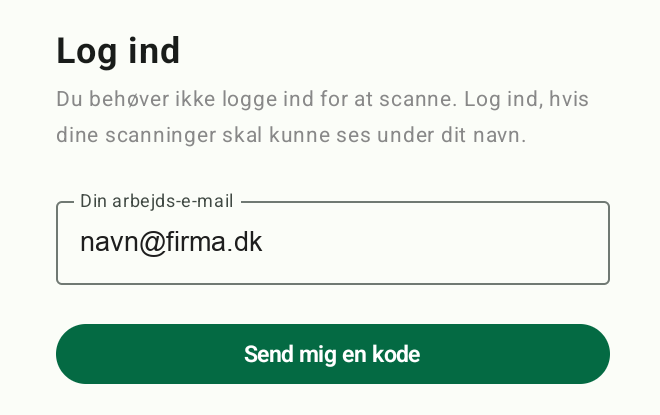
You do not have to log in to scan. Log in if your scans should be visible under your name.
-
Tap Konto (Account) at the bottom of the screen.
-
Enter your work email address in the field Din arbejds-e-mail (Your work email), and tap Send mig en kode (Send me a code).
-
Open your email. You receive an email from Kemipilot with a 6-digit code.
-
Enter the code in the field 6-cifret kode fra mailen (6-digit code from the email), and tap Log ind (Log in). The code works for 10 minutes and only once.
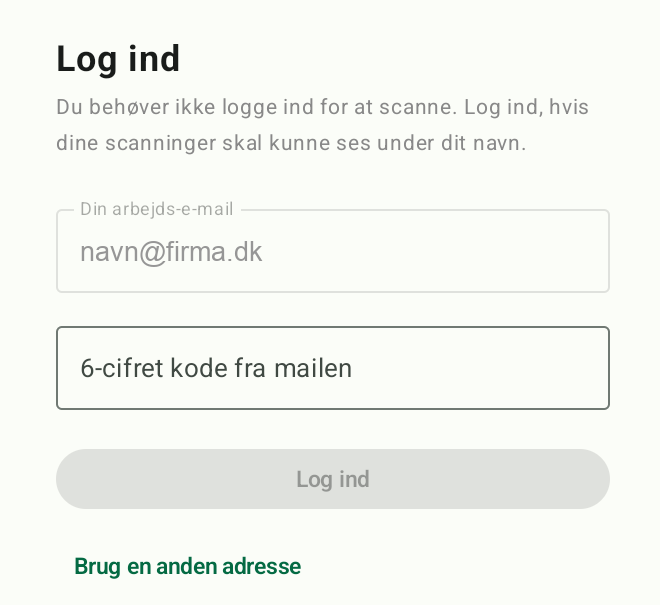
The app is in Danish; the names above are the ones you will see on screen.
Updating
How to see which version you have: Tap Konto. The version is shown as Kemipilot 2.x.x (build nn). On a tablet it is right under the heading Konto. On a phone it is under Logget ind, or at the bottom of the page if you are not logged in.
How to update: Open Play Store and search for Kemipilot. If it says Update, tap it. If it only says Open, you have the latest version. You can also let Play Store update apps automatically.